Getting Started
What Ride Hermes is, getting the app, creating your account, and finding your way around.
What Ride Hermes is
Ride Hermes is a ride-tracking app for personal electric vehicles (PEVs): onewheels, electric unicycles (EUCs), e-skateboards and more. You record your rides with your phone, and any trail you ride is timed automatically.
- Record rides. Your route, time, distance and speed are saved to your profile and shared with the riders who follow you.
- Race trails. Trails are sections of real-world riding with their own leaderboards. Ride one while recording and your time is added for you.
- Compete in seasons. Seasons group trails into a competition with an overall leaderboard, often run by a local league.
- Share and connect. Follow riders, like and comment on rides, message each other, collect relics and share tunes.
Recording happens in the mobile app. The website is the place to browse, manage and review everything you've recorded.
Getting the app
The Ride Hermes app is free on iPhone and Android.
- Download on the App Store (iPhone)
- Get it on Google Play (Android)
Recording needs location access, including in the background. The app asks the first time you record. See Recording Rides for the settings that keep recording reliable.
Creating an account and logging in
One account works everywhere. You use the same email and password in the app and on the website.
In the app
- Open the app.
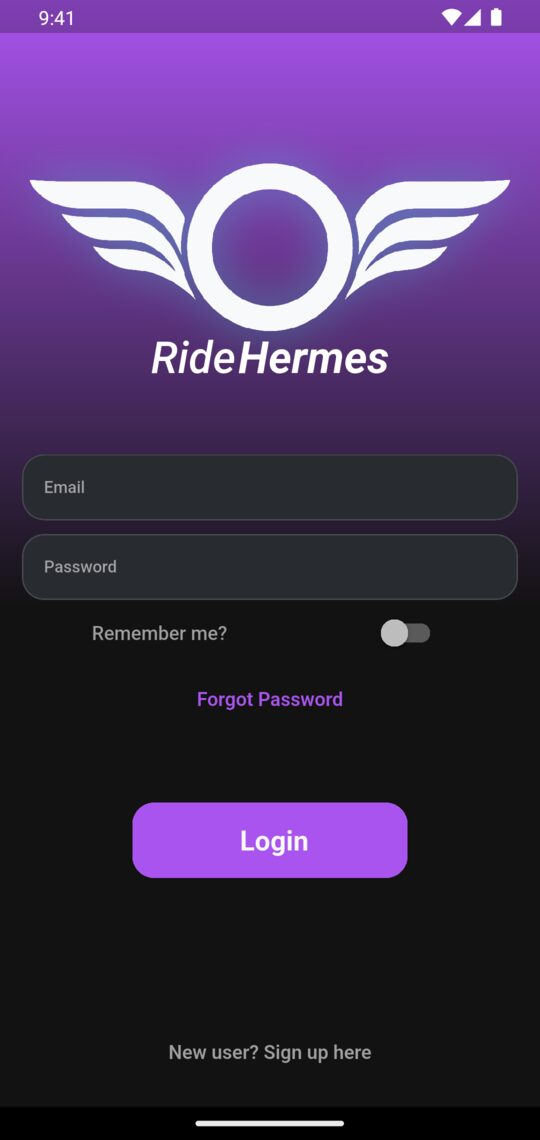
- Tap New user? Sign up here at the bottom of the screen.
- Enter your Email, Username, Password and Confirm Password, then tap Signup. The app logs you straight in.
Already have an account? Enter your email and password and tap Login. Turn on Remember me? to stay signed in.
On the website
- Select Sign up at the top right of any page (or go straight to the sign-up page).
- Fill in your email, username, password and password confirmation, then select Sign up.
Returning riders select Log in at the top right.
Forgot your password?
In the app, type your email on the login screen and tap Forgot Password. On the website, use the password reset page. Either way you'll get an email with a reset link. More account help is in Account, Privacy & Data.
Finding your way around the app
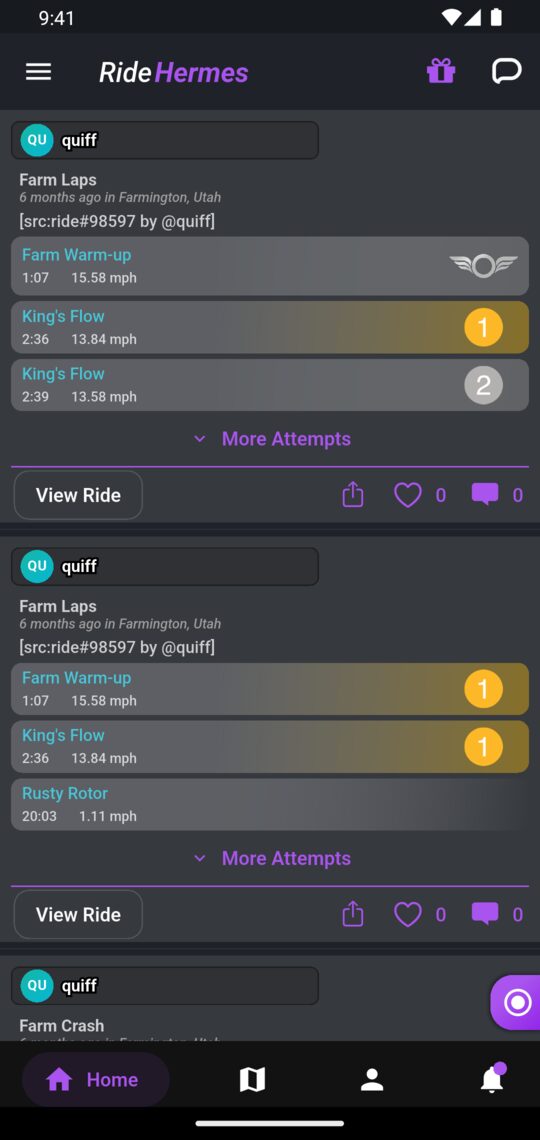
The bar along the bottom of the app has four tabs:
| Tab | What's in it |
|---|---|
| Home | Your feed: rides from you and the riders you follow. The icons at the top right open your messages and, when you have something new, your rewards. |
| Trails | Nearby trails on a map, with search and filters. |
| Profile | Your profile: your stats, rides, relics, trails, tunes and vehicles. |
| Notifications | Follows, likes, comments, invites and other updates. Use the menu at the top right to Mark All as Read. |
The small record button on the right-hand edge of the screen is how you start a ride. It stays on screen while you move around the app.
The side menu
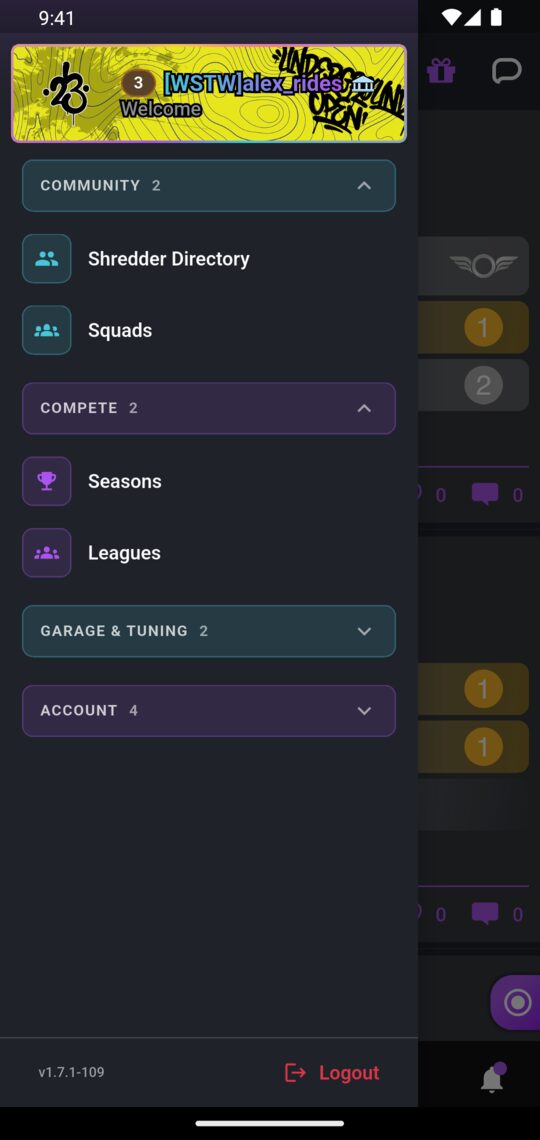
Tap the menu icon at the top left (or swipe in from the left edge) to open the side menu. Your rider card sits at the top. Tap it to go to your profile. The menu is grouped into sections. Tap a section to expand it.
| Section | Items |
|---|---|
| Community | Shredder Directory (find and follow riders), Squads |
| Compete | Seasons, Leagues |
| Garage & Tuning | Garage (your vehicles), Tune Archive |
| Account | Pantheon, Store, Settings, FAQ / Help |
If you have rides that haven't uploaded yet, a Pending Rides card appears at the top of the menu. Tap it to finish the upload. The app version and Logout are at the bottom of the menu.
The website
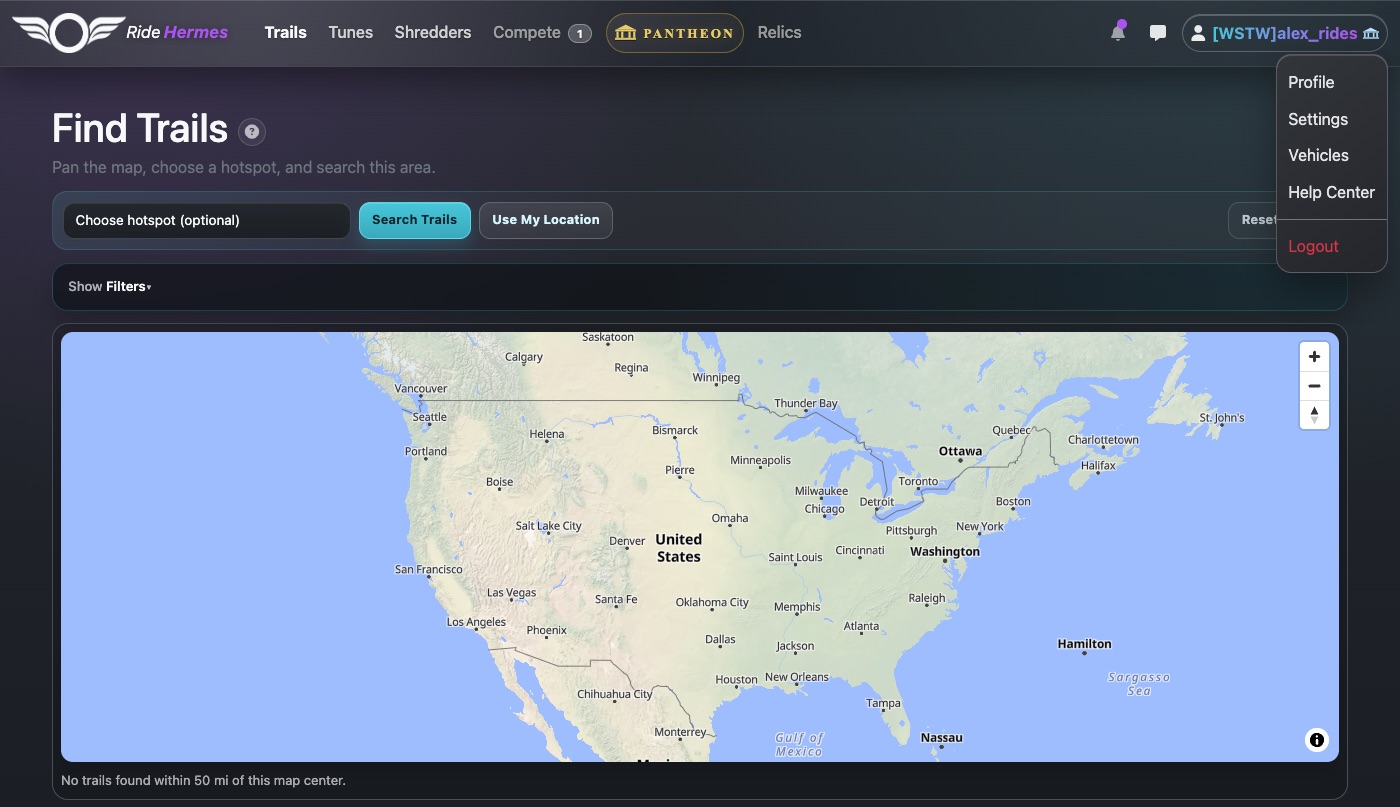
On the website you can browse trails, seasons and tunes, manage your rides and vehicles, and shop for relics. You can't record rides there. You can read most pages without an account, but you need to log in to like, comment, message or edit anything.
| Menu item | What's there |
|---|---|
| Trails | Every trail, on a map and in a list, with leaderboards. |
| Tunes | The Tune Archive: board settings shared by the community. |
| Shredders | Rider rankings and the Hermes World Rank. |
| Compete | All Seasons, the seasons running right now, and Leagues. |
| Pantheon | The Pantheon membership. Signed-in riders see it as Pantheon or Join the Pantheon. |
| Relics | Relic Catalog, Badges and Banners. |
When you're logged in, the icons at the top right open your notifications and messages. Your username opens a menu with Profile, Settings, Vehicles, Help Center and Logout.
App or website?
| Task | App | Website |
|---|---|---|
| Record a ride | Yes | No |
| Edit, hide or trim a ride | Yes | Yes |
| Delete an uploaded ride | No | Yes |
| Create a trail from a ride | Yes | Yes |
| Add and edit vehicles | Yes | Yes |
| Browse, create and download tunes | Yes | Yes |
| Seasons, leagues, follows, messages | Yes | Yes |
Next steps
- Recording Rides — record your first ride and keep it recording reliably.
- Trails & Leaderboards — find trails and race them for time.
- Tunes & Vehicles — add your vehicle so your rides count in vehicle-specific seasons.
- Following, Feed & Messages — follow riders to fill your feed.